








Running a business becomes more complicated when sales, accounting, inventory, and customer information are managed through different systems. Employees spend time transferring data, correcting errors, and preparing reports that should be readily available. As operations expand, these disconnected processes can affect productivity and decision making. An ERP system addresses these challenges by connecting essential business functions within one integrated platform. However, not every company needs enterprise resource planning software, and implementing one requires careful consideration. For businesses exploring customized solutions, Fixels Media, an ERP software development company in Dubai, provides ERP implementation and integration services. This guide explains how ERP works, its benefits, and how to determine whether your business genuinely needs one.
ERP Meaning Explained: What Does ERP Stand For?
ERP stands for Enterprise Resource Planning, a term used to describe software that integrates essential business processes into a connected system. Instead of maintaining separate records for accounting, purchasing, inventory, and sales, businesses can manage these activities through applications that share information. The main purpose of ERP is to improve coordination between departments and provide a more consistent view of business operations. For example, financial teams can access transaction information generated through sales and purchasing activities without manually collecting records from multiple sources. Understanding the ERP meaning is important because the software is not simply an advanced accounting tool. It is designed to support several interconnected business functions.
How Does an ERP System Work in Everyday Business Operations?
An ERP system works by connecting different business activities through shared data and configured workflows. Consider a distribution company receiving a customer order. Once the sales team records the transaction, the system can check inventory availability, update relevant records, and support the next steps in order processing. Depending on its configuration, the platform may also help generate invoices, manage purchasing requirements, and update financial reports. Employees across departments can access the information relevant to their responsibilities without repeatedly entering identical details. However, these processes are not automatically available in every implementation. Businesses must select suitable modules, establish appropriate permissions, and configure workflows that reflect their actual operations.
What Are the Main Features and Modules of ERP Software?
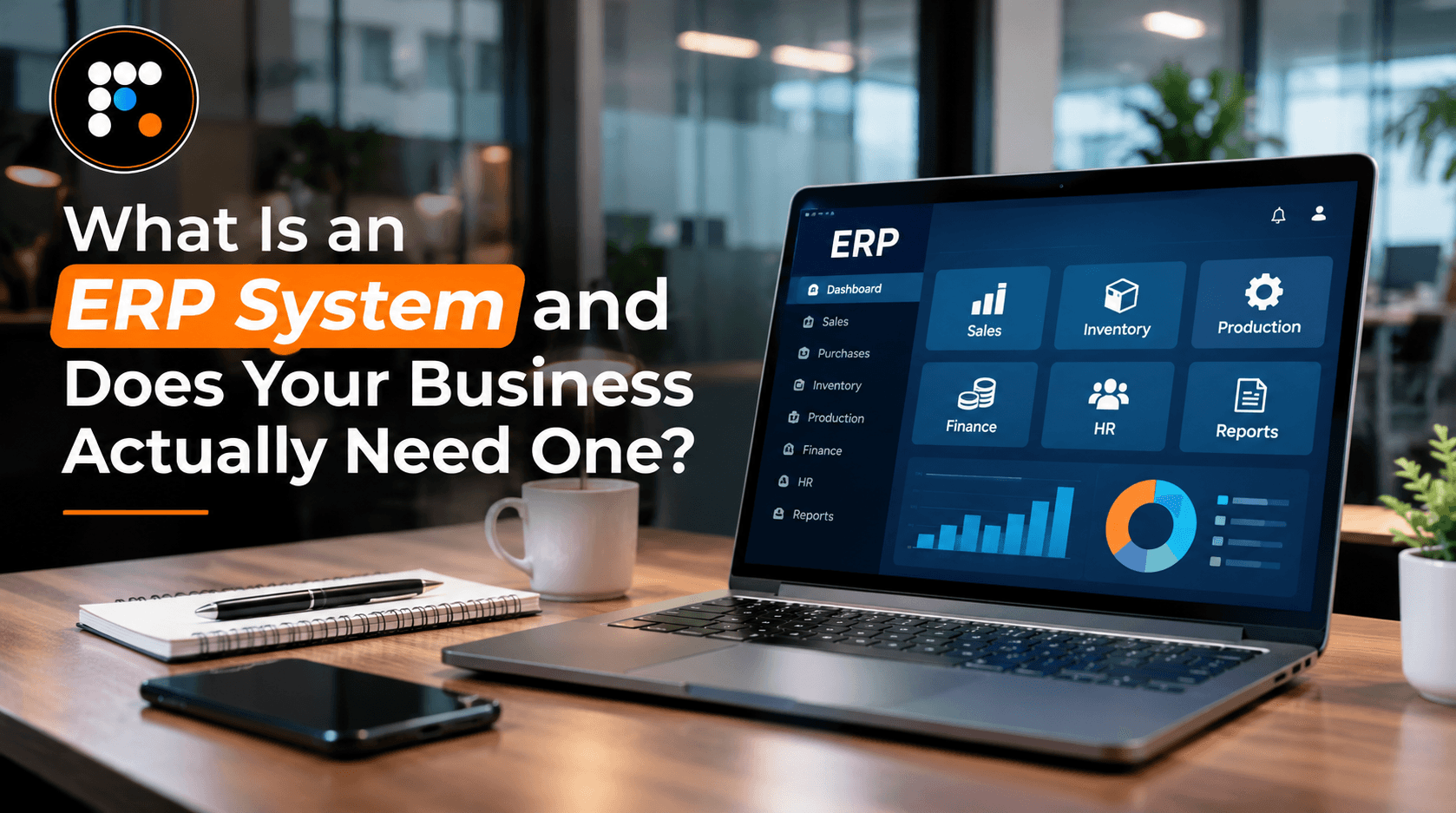
ERP software typically includes modules that address different business requirements. Accounting and finance applications support invoicing, payments, financial records, and reporting. Inventory management helps businesses monitor stock levels, warehouse movements, and product availability. Sales and customer management modules organize customer information, sales opportunities, and order processing. Additional applications may support procurement, manufacturing, human resources, project management, and business analytics. The exact features depend on the selected software and implementation scope. Businesses should not assume that every available module is necessary. A company focused on distribution may prioritize inventory and purchasing, while a service provider may benefit more from project management and financial reporting. Choosing relevant functionality helps reduce unnecessary complexity.
What Are the Key Benefits of Implementing an ERP System?
A properly implemented ERP system can improve how businesses access information and coordinate everyday activities. One potential benefit is reduced duplicate data entry because connected departments can work with shared records. Integrated reporting can also make it easier for management to review sales, expenses, inventory, and operational performance. Automated workflows may reduce repetitive administrative tasks, while consistent information can support better communication between teams. However, these improvements depend on accurate data, appropriate configuration, and employee adoption. ERP does not automatically increase revenue or eliminate operational problems. Businesses should establish measurable objectives before implementation so they can evaluate whether the software delivers meaningful improvements after launch.
Signs Your Business Actually Needs an ERP System
Businesses often begin considering ERP when their existing applications can no longer support daily operations efficiently. Warning signs include recurring inventory discrepancies, delays in preparing financial reports, duplicate customer records, and excessive dependence on spreadsheets. Employees may also struggle to obtain reliable information because different departments maintain separate records. As transaction volumes increase, these problems can become more difficult to manage. Another indication is the growing number of manual workarounds needed to connect existing applications. Businesses experiencing these challenges can explore Signs Your Business Has Outgrown Its Current Tech Setup for additional context. The decision to implement ERP should begin with identifying problems that an integrated system can realistically address.
Does Every Small or Mid Sized Business Need ERP Software?
Not every small or mid sized business requires a comprehensive ERP platform. A company with straightforward operations, limited inventory, and manageable transaction volumes may function effectively with existing accounting software and a few connected applications. However, smaller businesses can still benefit from ERP when their processes become complicated. For example, a distributor operating several warehouses may require integrated inventory and purchasing systems despite having relatively few employees. Business size alone should therefore not determine software requirements. Owners should consider transaction complexity, reporting difficulties, operational growth, and the limitations of their current tools. If simpler improvements can address existing problems, a full ERP implementation may not yet be necessary.
Cloud Based vs On Premise ERP Systems: What's the Difference?
Businesses can generally choose between cloud based and on premise ERP deployment, depending on the software and available options. Cloud ERP runs on hosted infrastructure and is typically accessed through an internet connection. This arrangement can reduce the need to maintain physical servers, although subscription fees and provider agreements must be considered. On premise systems operate on infrastructure managed by the organization or its appointed technical team. They may offer different levels of operational control but can require greater internal responsibility for maintenance and updates. Neither approach is automatically more secure or affordable. Businesses should compare hosting expenses, accessibility, data protection, customization, backup arrangements, and technical support before selecting a deployment model.
How Much Does an ERP System Cost to Implement?
ERP implementation costs depend on several factors, including software licensing, the number of users, required modules, and technical complexity. Some businesses need relatively straightforward configurations, while others require extensive customization and integration with existing applications. Additional expenses may include requirements analysis, data migration, employee training, hosting, testing, and ongoing maintenance. These costs should be evaluated together rather than focusing exclusively on subscription fees. Businesses should also consider the financial impact of implementation delays and temporary productivity reductions during the transition. Requesting a detailed quotation helps clarify which services are included and which require additional investment. Understanding the total cost of ownership provides a more accurate basis for deciding whether ERP is financially practical.
Common Challenges Businesses Face During ERP Implementation
ERP implementation can create difficulties when businesses underestimate the organizational changes involved. One common challenge is transferring inaccurate or incomplete records from existing applications. Poor data quality can affect financial reporting, inventory management, and other important functions after deployment. Employees may also struggle when they receive insufficient training or when the new software does not reflect essential workflows. Excessive customization can increase project costs and complicate future upgrades. Successful implementation therefore requires realistic planning, management involvement, and clear communication between departments. Businesses should review existing processes, prepare accurate information, conduct testing, and train employees before launch. A carefully managed transition reduces the likelihood of avoidable operational disruption.
How to Choose the Right ERP System for Your Business
Selecting an appropriate ERP solution begins with understanding what the organization needs to accomplish. Identify the departments that require integration, the processes causing recurring problems, and the reporting capabilities management expects. Businesses should then compare software functionality, scalability, deployment options, and integration requirements. An important consideration is whether the system can accommodate existing workflows without unnecessary customization. For UAE businesses, accounting functionality should also support applicable VAT requirements and electronic invoicing obligations. The UAE's mandatory e-invoicing implementation begins in phases during 2027 for businesses within scope. Companies should verify relevant compliance requirements and integration capabilities before making a final decision. Choosing software based on operational suitability is generally more useful than selecting the platform with the greatest number of features.
Important Questions to Ask Before Investing in ERP Software
Before investing in ERP, business owners should determine which problems the software will solve and how the results will be measured. Ask whether existing applications can address those problems at a lower cost. Consider which modules are immediately necessary, how historical records will be migrated, and whether employees have sufficient time for training. Businesses should also examine implementation responsibilities, support arrangements, future upgrade costs, and data ownership. Financial planning should compare the total investment with realistic operational benefits rather than unsupported promises of immediate savings. For further guidance on evaluating the investment, read Is ERP Software Worth It for Small and Mid-Sized UAE Businesses?. Clear answers help businesses avoid purchasing software that exceeds their actual requirements.
Conclusion:
An ERP system can help businesses connect departments, improve information management, and reduce reliance on disconnected applications. However, the decision to implement one should depend on operational needs rather than company size or industry trends. Businesses experiencing reporting delays, inventory inaccuracies, repeated data entry, or increasing process complexity may benefit from integrated software. Others may find that improving existing applications is a more practical option. Before investing, evaluate current challenges, required functionality, implementation costs, and employee readiness. The right ERP solution should address genuine business problems and support future requirements without introducing unnecessary complexity. Careful planning helps ensure the investment delivers practical, measurable value.